
One Extension. Multiple Websites. Faster Form Filling.
Fill repetitive forms faster using passport images, pasted text, or saved values. Configure fields for different websites, process multiple Wafid candidates, and manage individual candidate payment links in one workflow.
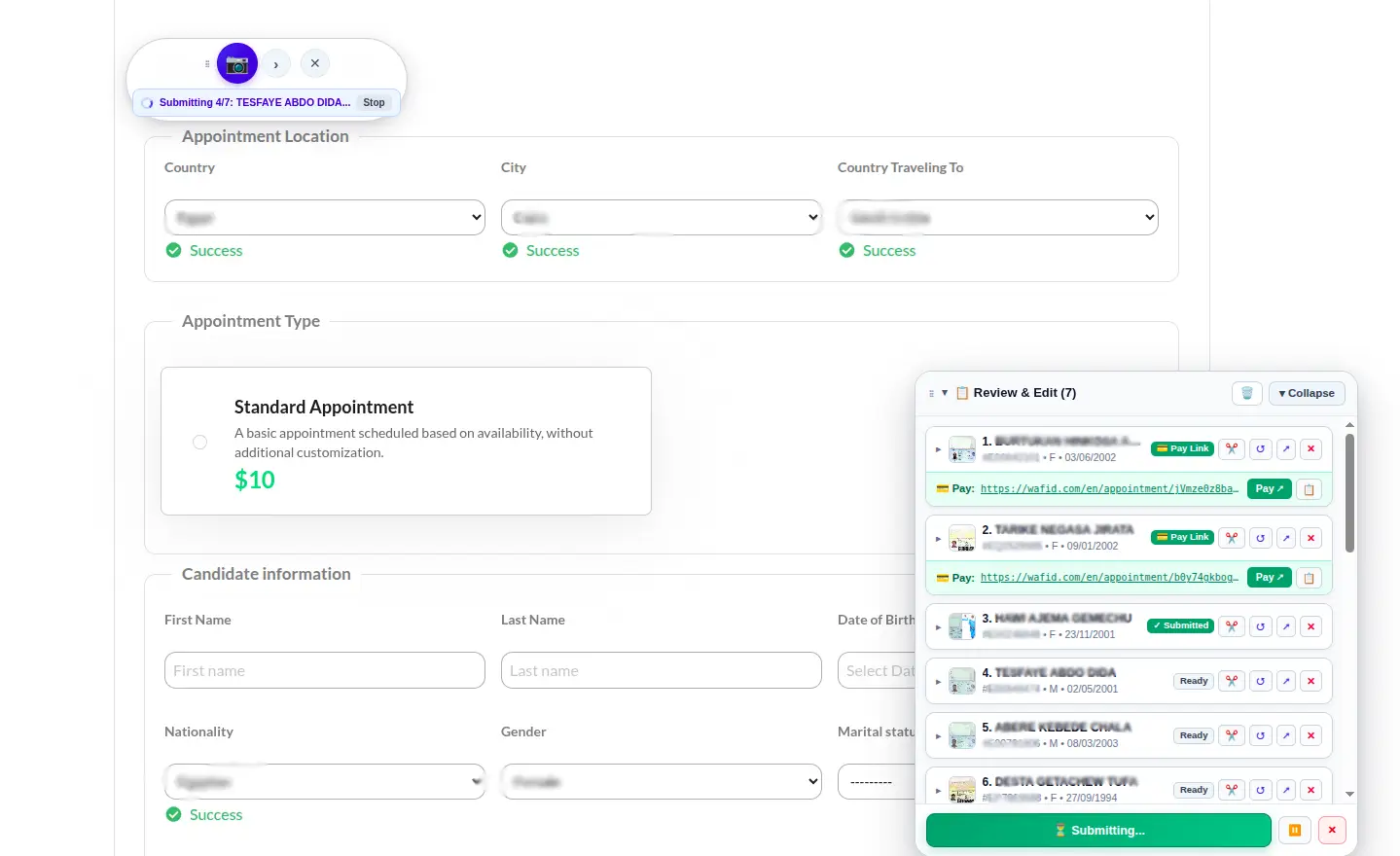
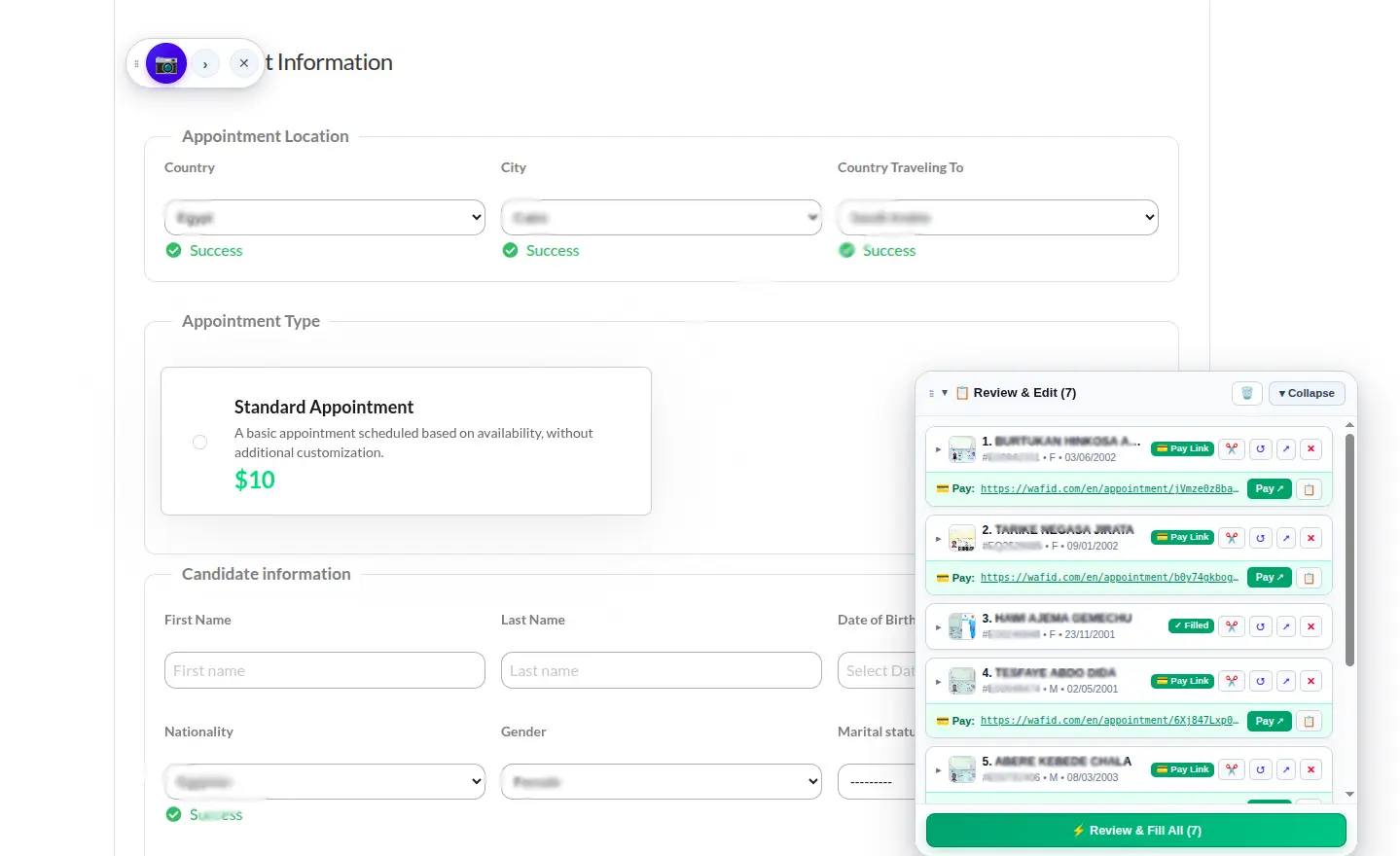
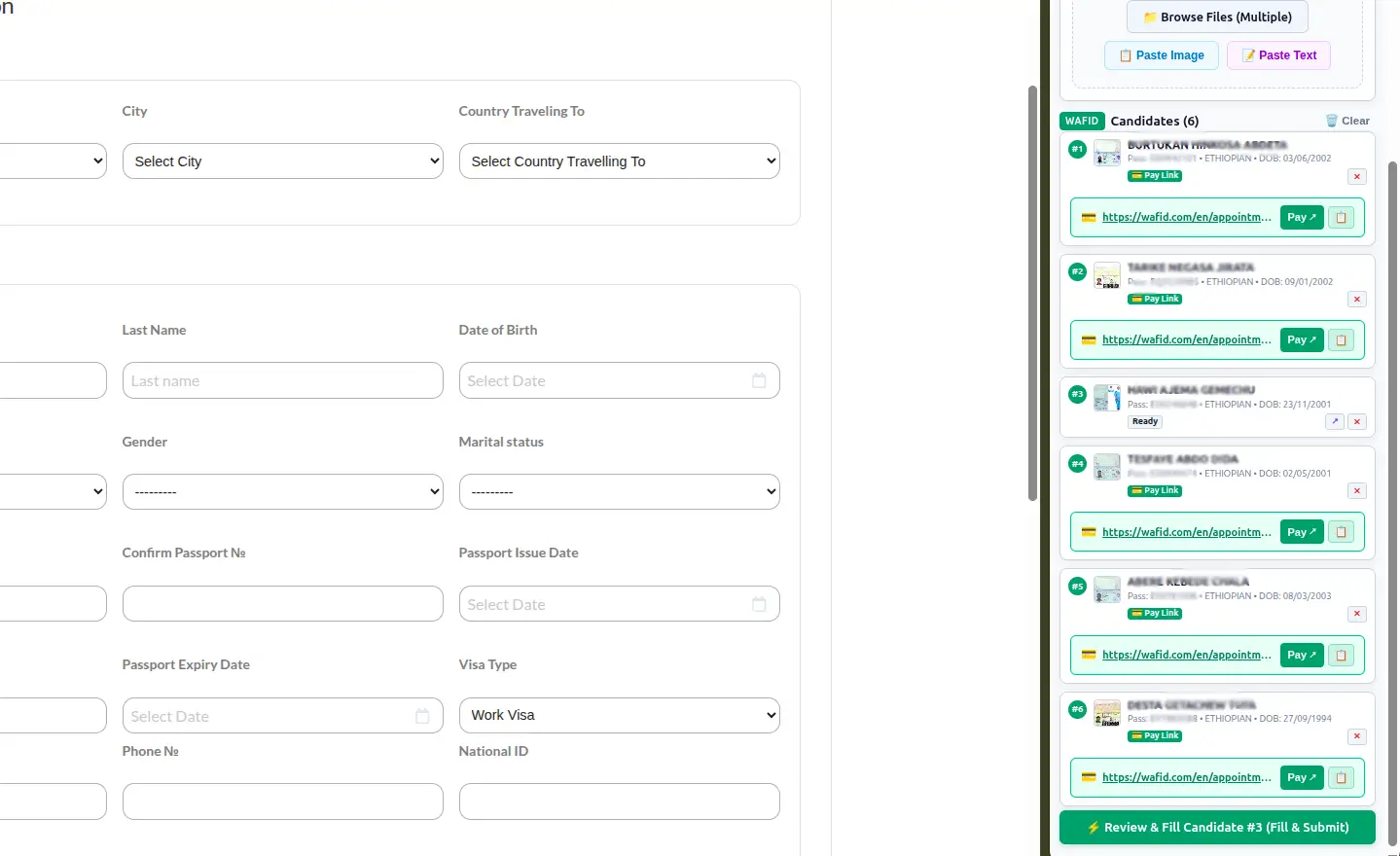
Desktop Browser & Side Panel Workflow
Slide through the desktop side panel and automated form-filling workflow.
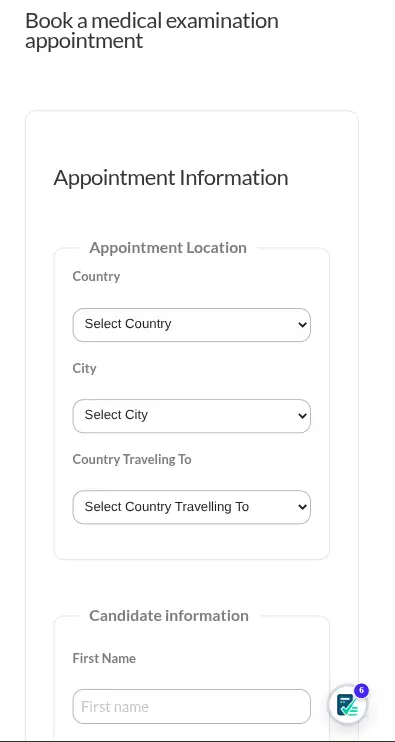
Mobile Browser Experience
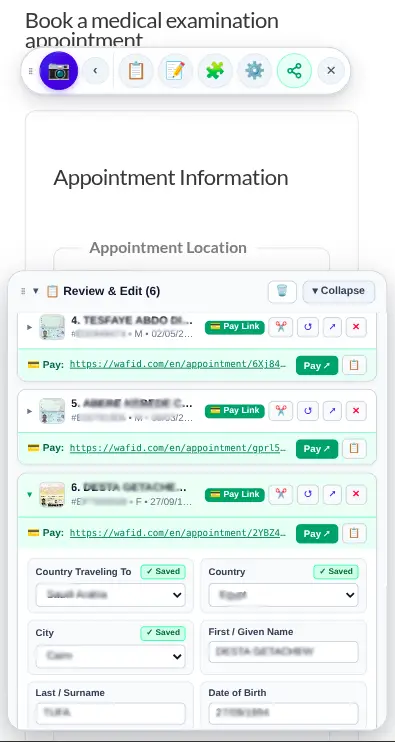
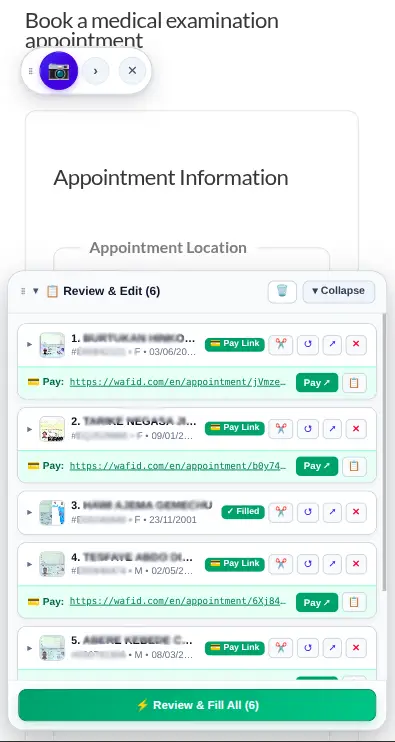
Slide through the mobile floating widget and one-tap passport autofill workflow.
Five Ways to Add Applicant Data
Choose the fastest method for your workflow. Every input source converts directly into structured, reviewable applicant information before anything is submitted.
1. Passport Image Upload
Upload image files (JPEG, PNG) or single-page PDF passports. Machine-readable zones (MRZ) are extracted with checksum validation to prevent typographical errors.
2. Drag & Drop
Drag passport scans directly from your desktop or file explorer into the sidepanel drop zone for immediate processing without navigating folder dialogs.
3. Clipboard Image Paste
Take a snippet or screenshot of a passport and hit Ctrl+V (or Cmd+V). The extension ingests the image directly from your operating system clipboard.
4. Extracted Text Paste
Copy text extracted from mobile scanning tools such as Google Lens, Musaned, or messaging threads. The text parser maps names, numbers, and dates into target fields.
5. Manual Entry & Saved Defaults
Type details manually when no image exists, and merge saved default parameters (contact phone, email, address, and destination city) with zero repetitive retyping.
Always Verified by You
Assisted extraction presents every field in an editable review panel. You verify, correct, and confirm accuracy before any form input is dispatched to the page.
Universal Form Autofill Across Websites
Configure the extension for different websites and form structures. Field mappings are stored per domain in local browser storage and automatically reused on return visits.
Scan the Active Page
Navigate to your target form and click "Scan This Page". The extension inspects the DOM to identify input boxes, select dropdowns, and text areas.
Map Detected Fields
Match each detected field to applicant attributes (e.g. Passport Number, Given Names, Nationality, Date of Birth) or assign saved default values.
Save Configuration
Save the field mapping for the domain. The extension remembers your custom configuration whenever you open that website again.
Add Applicant Data
Supply applicant details via passport image scan, clipboard paste, extracted text, manual typing, or saved presets.
Review Information
Review extracted values in the sidepanel. Easily adjust spelling, expiry dates, or specific booking parameters before anything touches the page.
1-Click Autofill
Dispatches native DOM events (input, change, blur) to satisfy modern React, Vue, and Angular client frameworks.
Wafid Multi-Candidate Workflow & Payment Links
Designed for professionals, teams, and operators processing batches of medical appointment candidates. Queue applicants, verify details, and manage individual payment links in one workflow.
Add Multiple Candidates
Queue multiple applicants in the sidepanel list to manage appointments for a whole group or batch simultaneously.
Upload, Paste, or Extract
Supply each candidate's data using any supported input method: scan a passport image, paste clipboard text, or enter details directly.
Review Candidate Details
Inspect each candidate card. Verify passport number, date of birth, exam city, and position applied for before form submission.
Autofill Supported Workflow
Trigger automated field completion on the Wafid portal with saved medical city, destination country, and default presets.
Display Payment Link Inside Candidate Card
When an appointment slip is generated, the candidate's unique payment checkout link is stored right inside their candidate card.
Open Payment Pages in Separate Tabs
Launch each candidate's payment checkout in its own browser tab, allowing operators to process fee payments efficiently without losing candidate card context.
How It Works
Three steps from passport input to verified form submission.
Add Passport or Text
Drop a passport image, paste a screenshot (Ctrl+V), paste OCR text, or load saved defaults.
Review & Autofill
Verify extracted fields in the sidepanel and click Auto-Fill to populate the active form.
Batch & Payment Links
On Wafid, submit queued candidates in sequence with each payment link saved to its card and opened in a new tab.
Frequently Asked Questions
Clear, transparent answers based on the actual capabilities of the extension.
Responsible Data Handling & Privacy First
Passport and applicant information is sensitive. Passport Autofill parses machine-readable zones (MRZ) locally within your browser. When cloud AI OCR is utilized for challenging phone camera photos, data is handled exclusively over encrypted TLS connections for text extraction. We do not sell or monetize personal applicant data, nor do we train public AI models on your documents. You maintain complete visibility: every extracted detail is presented in an editable panel for your verification prior to form submission.
Ready to Automate Your Form Filling?
Install Passport Autofill directly from the official Chrome Web Store. Zero complex setup — start testing on your forms in minutes.